Customers & communication
Shared inbox, project-related email processes, customer data, contact persons, files and customer portal.
 KlarvexoOperations hub
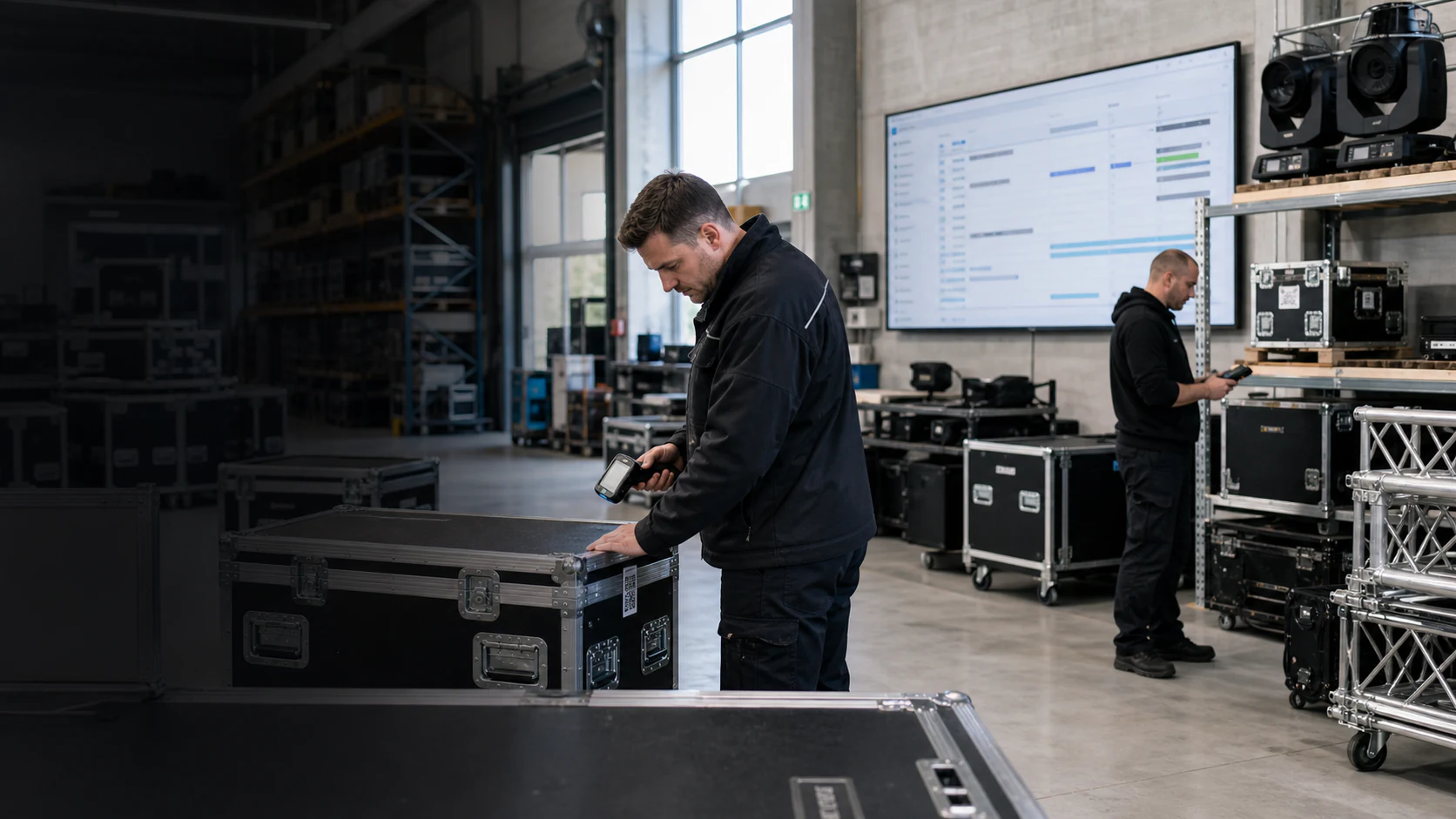
Event production. Organised together.
One project. One team. One shared project status.
Rental software for event technology and dry hire connects projects, equipment, crew, warehouse operations and invoices. From the initial brief to the final equipment return.
V2 is the interface for all company areas. Your data will be retained. We develop new functions exclusively for V2; V1 will not be further developed.
Klarvexo step by step
31 German-language tutorials with original recordings: from the first project through crew and warehouse operations to invoicing. Each episode shows a specific workflow.
Preview images are at Klarvexo. YouTube will only load after your consent. Data protection for videos
No video found.
Recorded in Klarvexo V2 with fictional demonstration data and German computer voice. Interface and availability may vary depending on authorization, tariff and software version.
Watch all 31 explanatory videos on YouTube
Product screenshots and recordings show the original German interface. Tutorial audio is in German; the videos are not dubbed.
Klarvexo by work area
Each area can be used independently and remains connected to the project, period, resources, communication and billing.
Original views of the V2
Original recordings from Klarvexo V2 using fictional demonstration data. No recreated interfaces and no customer data.
Klarvexo
V2 · Original recording · Sample data
Real system
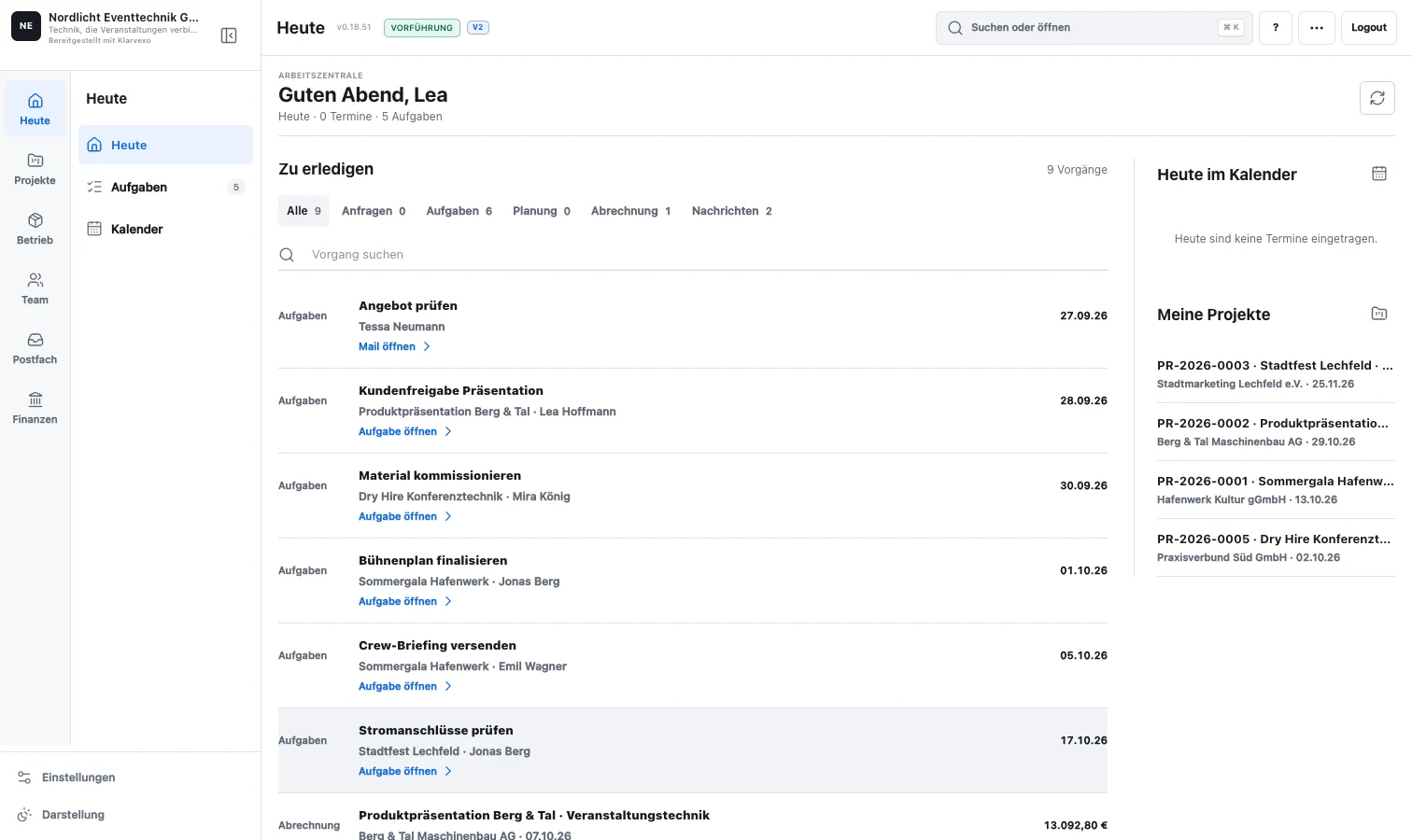
Tasks, appointments, emails, invoices as well as material and personnel bottlenecks lead directly to the affected process.
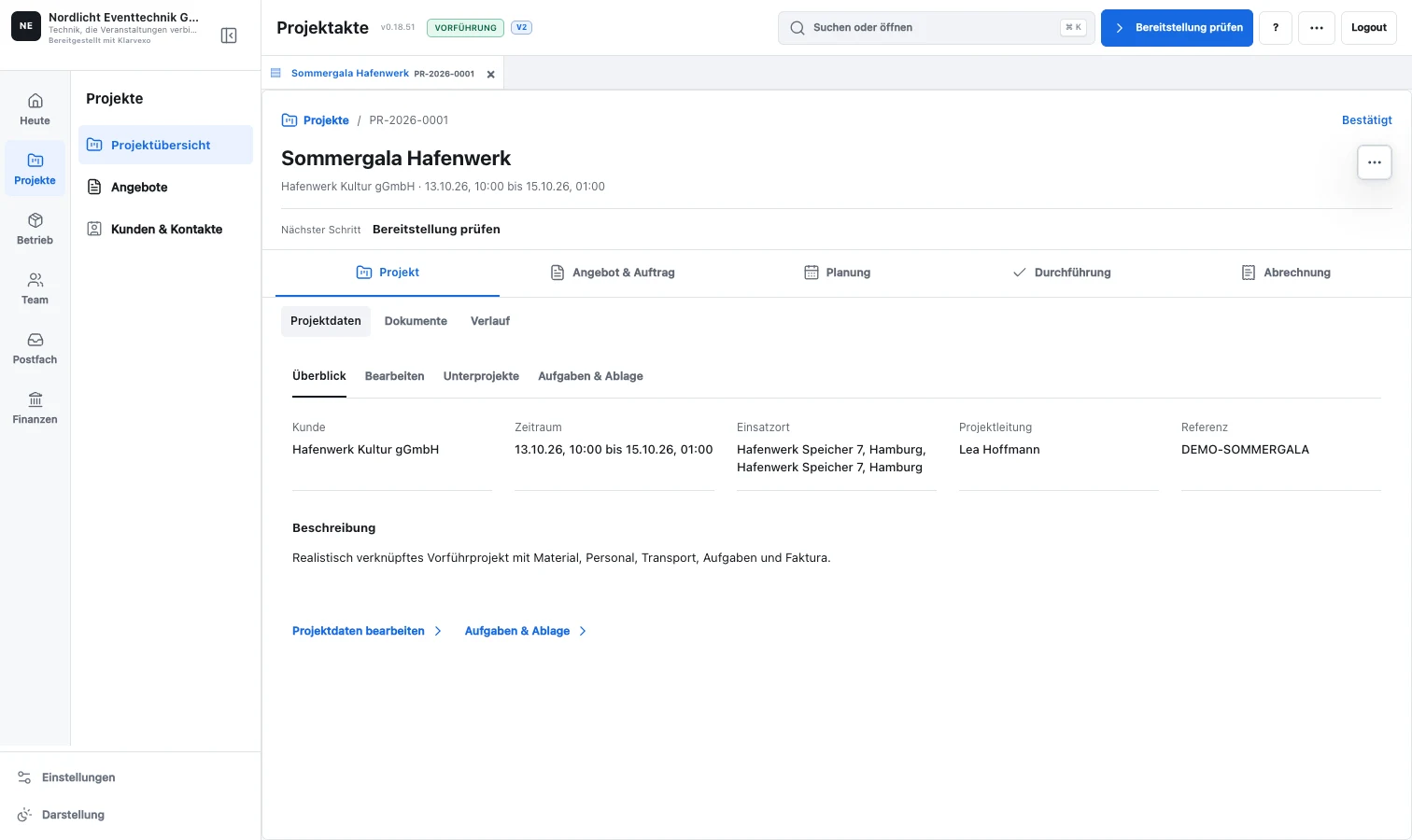
Phases, subprojects, tasks, equipment, staff, documents, quotes and invoices remain attached to the same job.
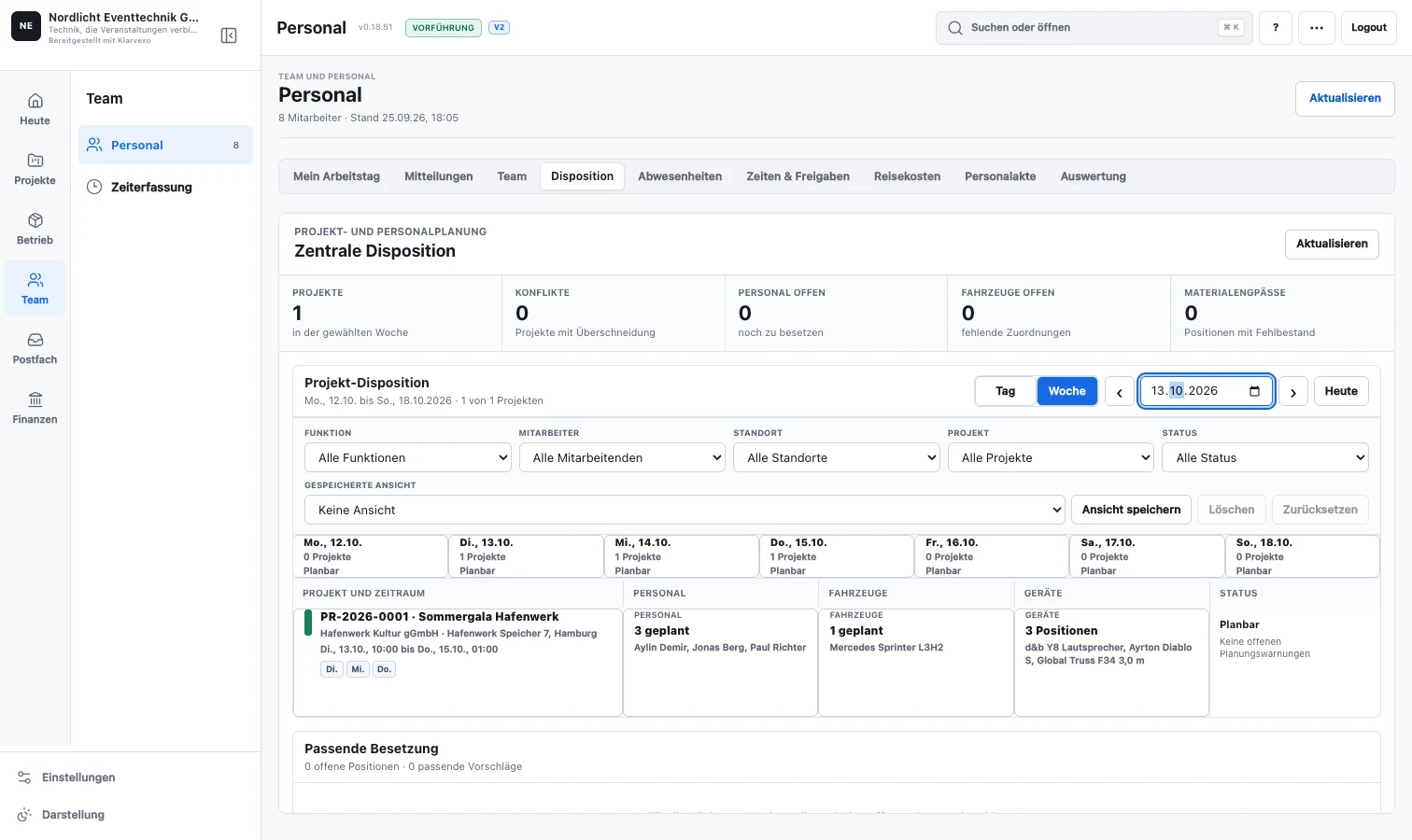
Filters, bottlenecks, open answers and conflicts show where the resource planning really needs to act.
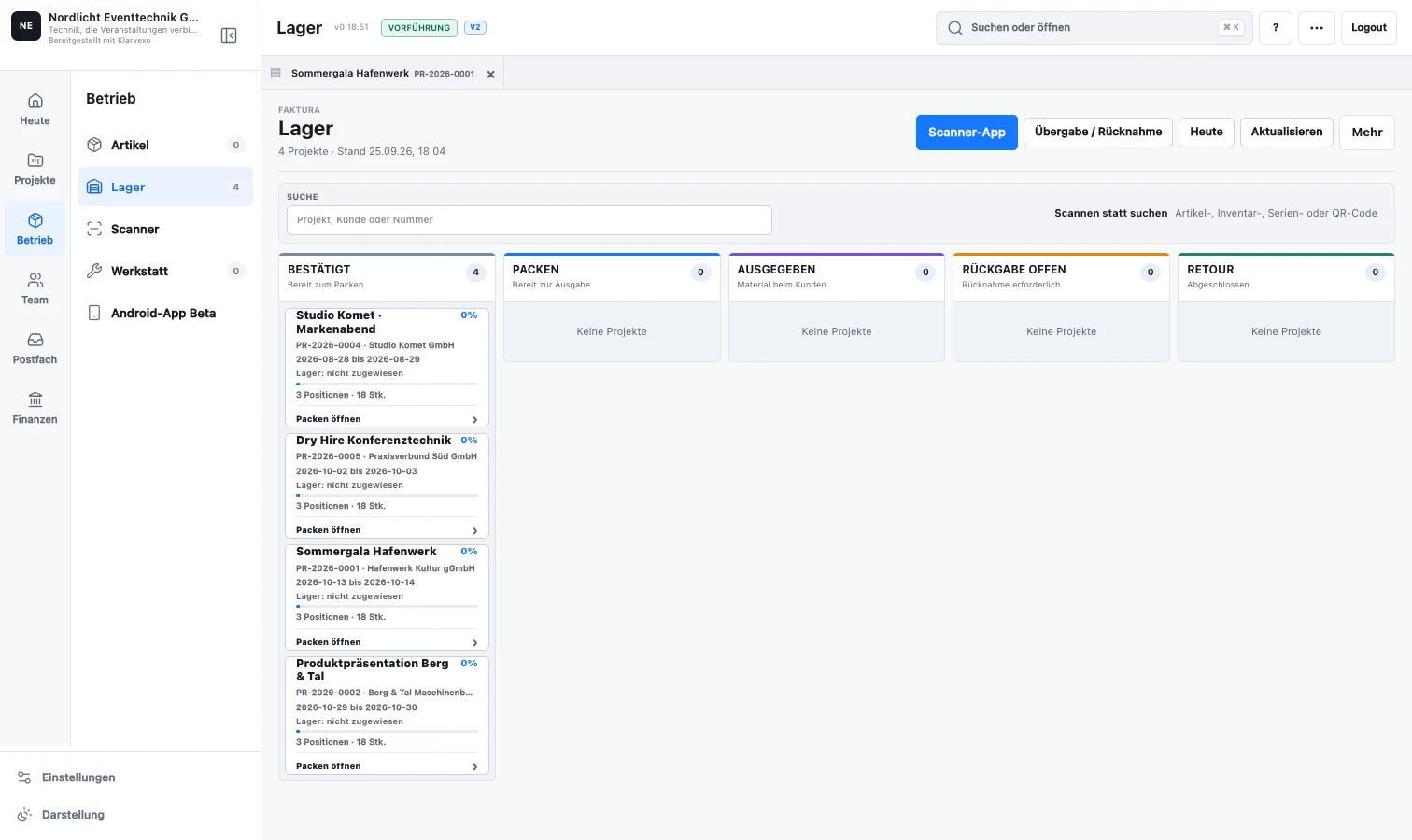
Items, sets and serial-numbered equipment are recorded using QR codes or barcodes. Shortages and damage remain visible as issues to resolve.
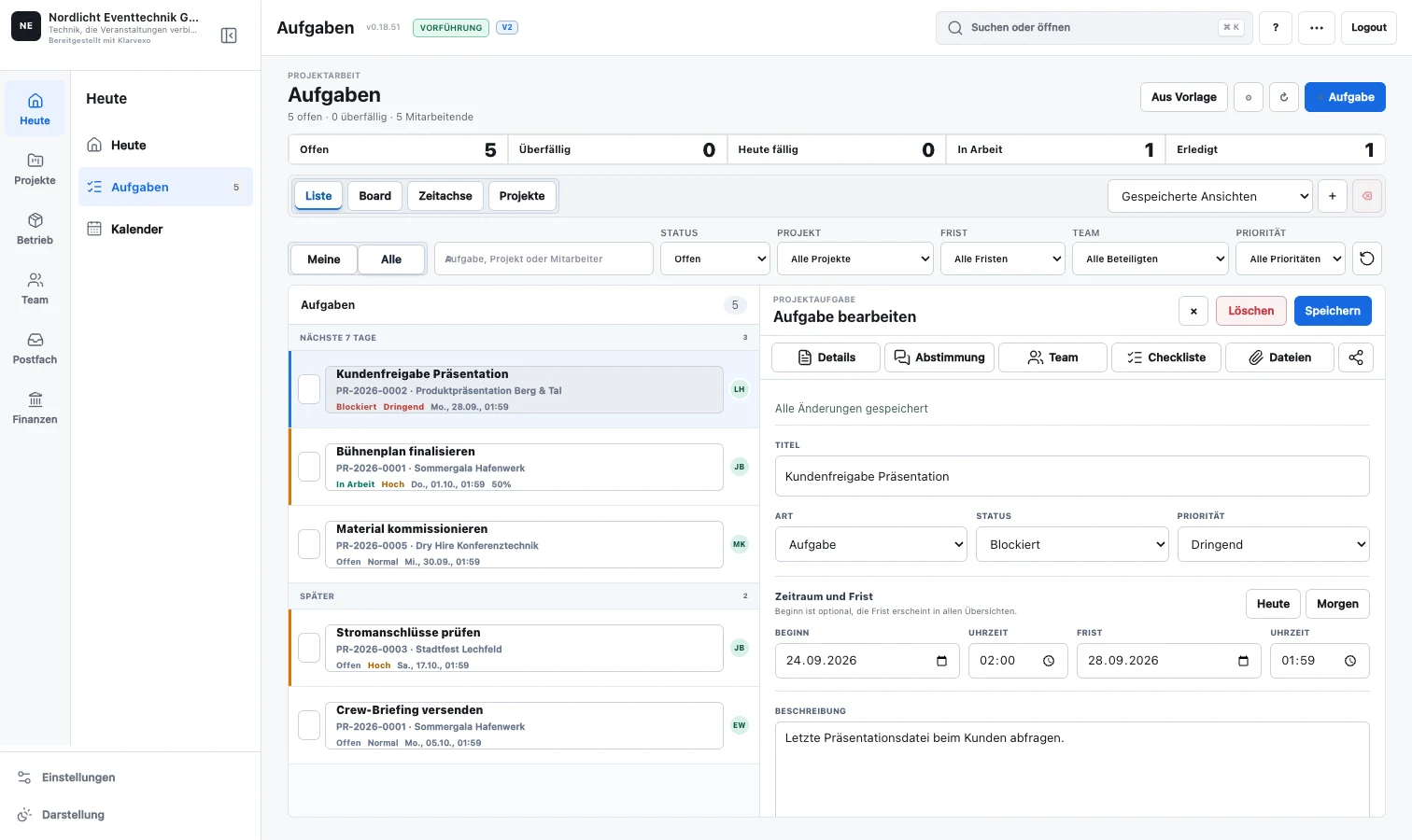
Multiple assignees, checklists, comments and change history. Simultaneous changes are compared and open conflicts are consciously resolved.
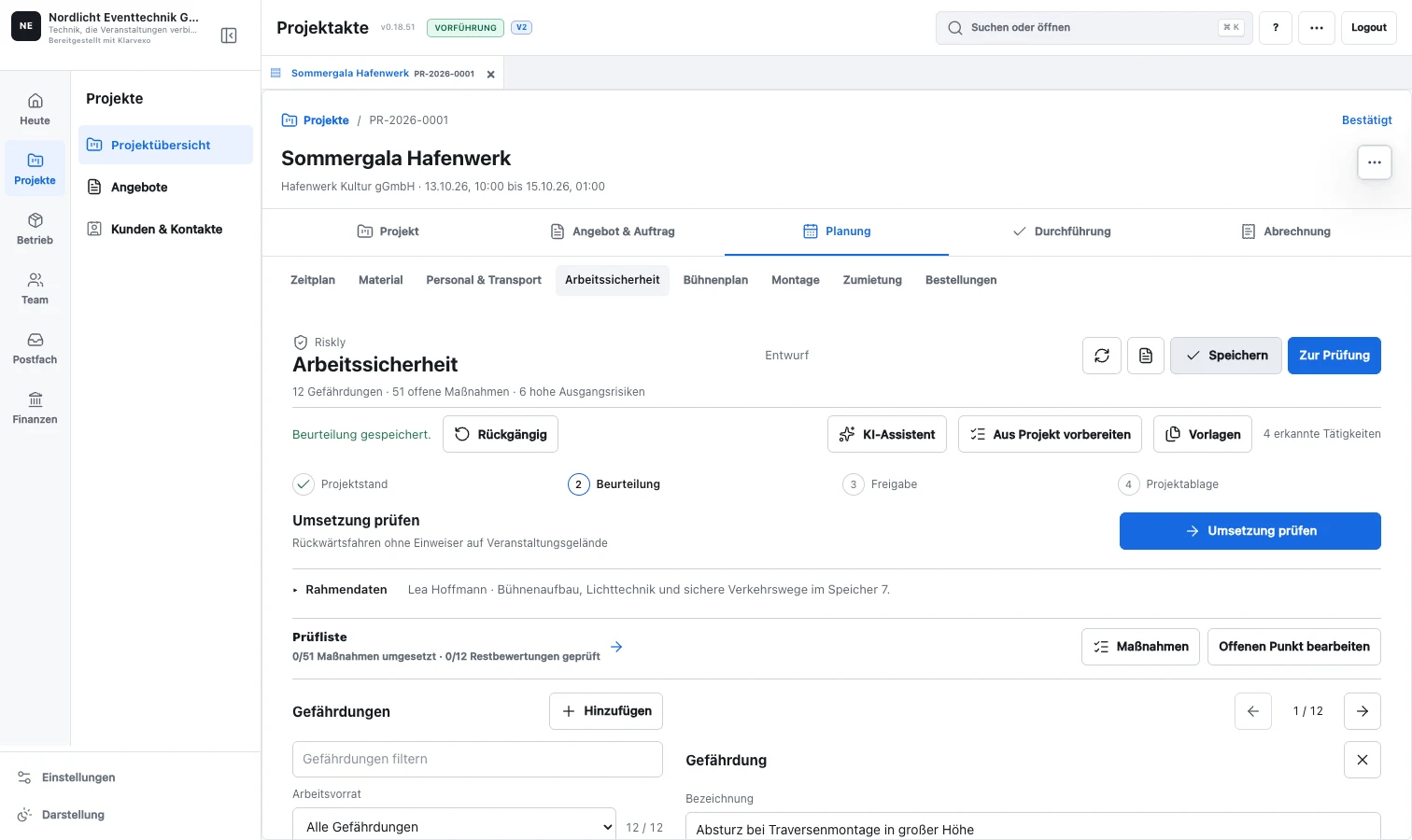
Hazards, measures, responsible persons and checklists in the project record. AI suggestions are only used after conscious adoption; the technical test remains with the people.
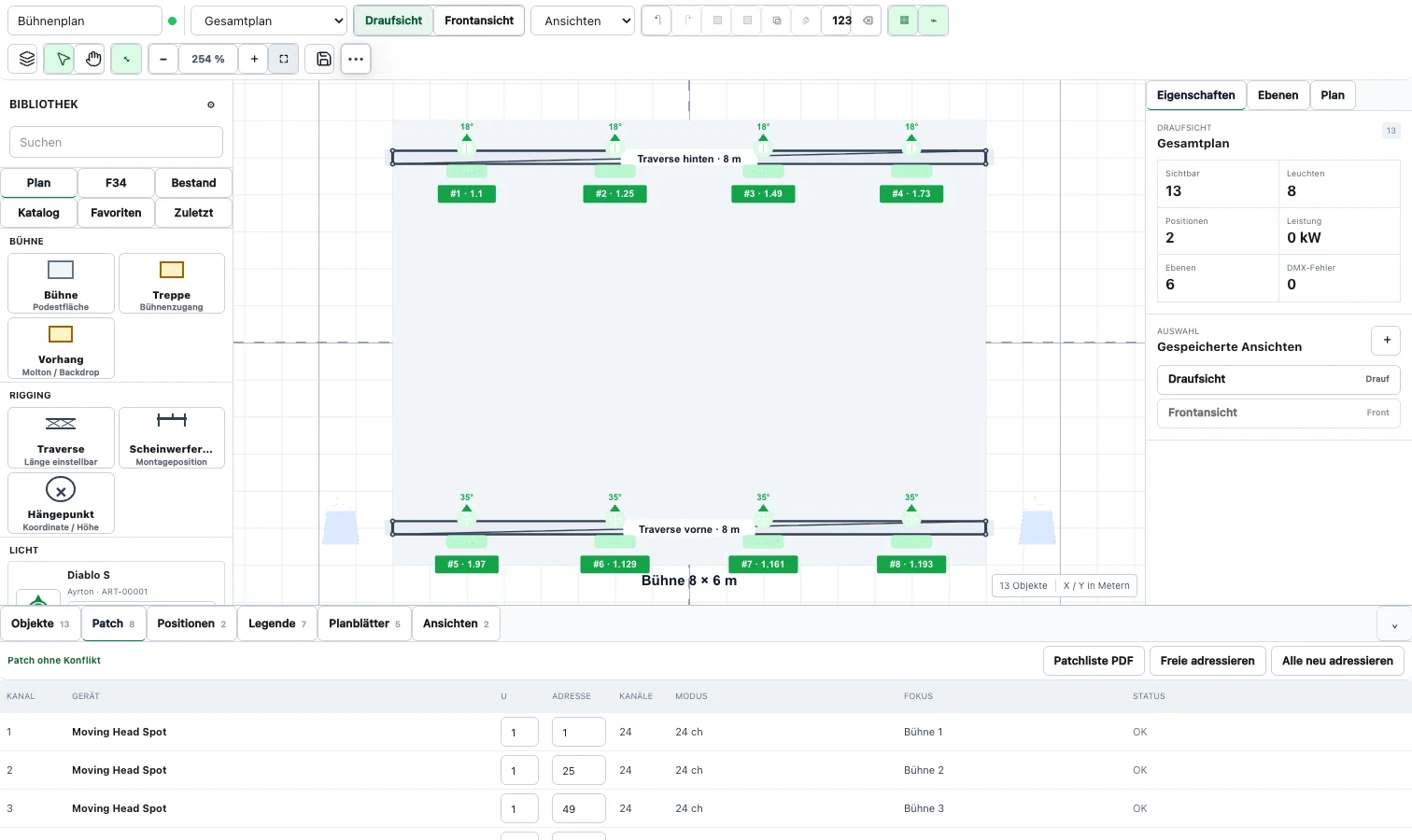
Create rows, grids and arcs, number devices and output technical data together with patch and plan.
A continuous process
An inquiry becomes a complete order. Customer, planning, warehouse and billing data does not have to be copied between individual tools.
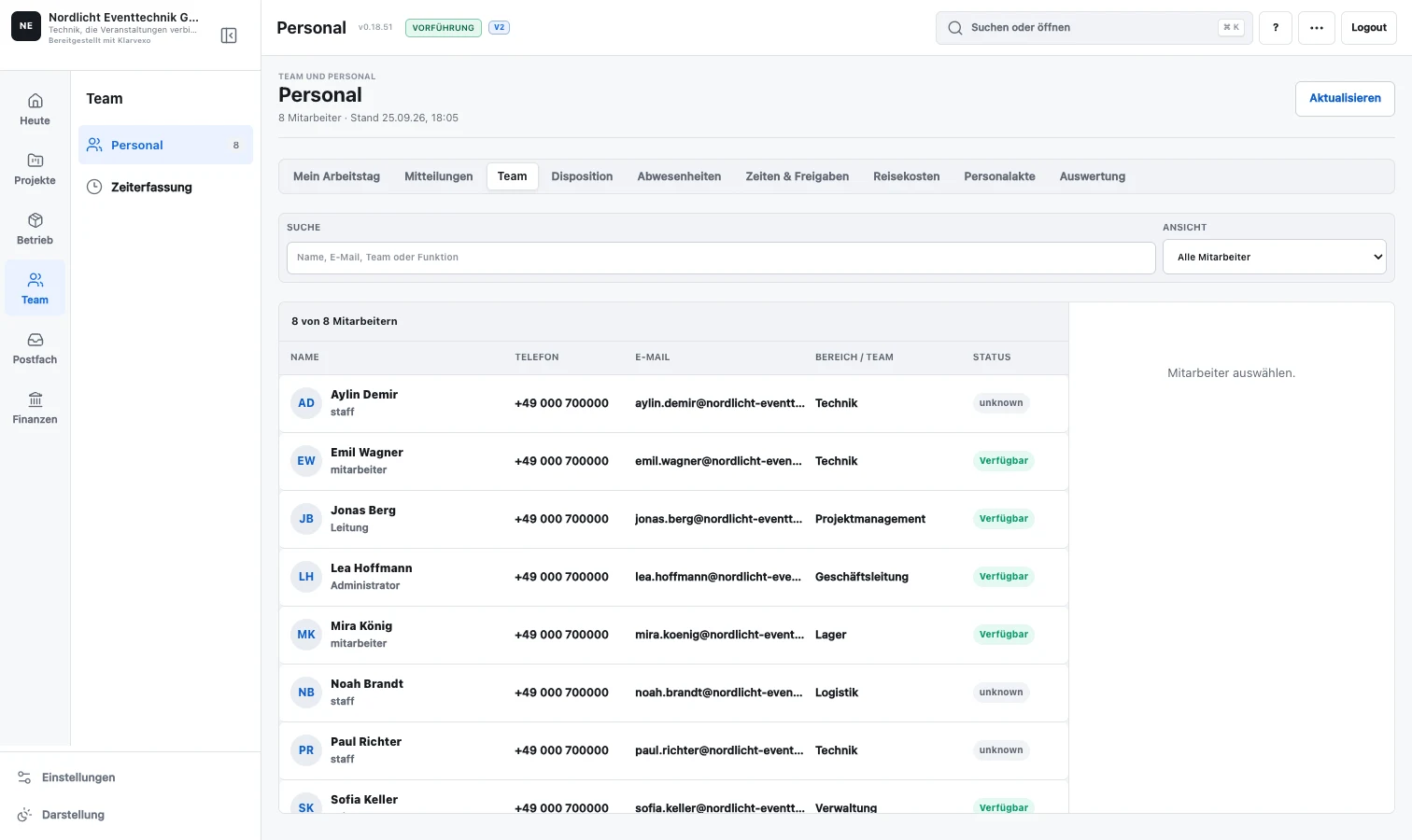
Personnel from requirements to payroll
Demand, Invitation, Acceptance, Availability, Engagement, and Released Working Time use the same status. Missing employees are highlighted in red and lead directly to manual replacement planning.
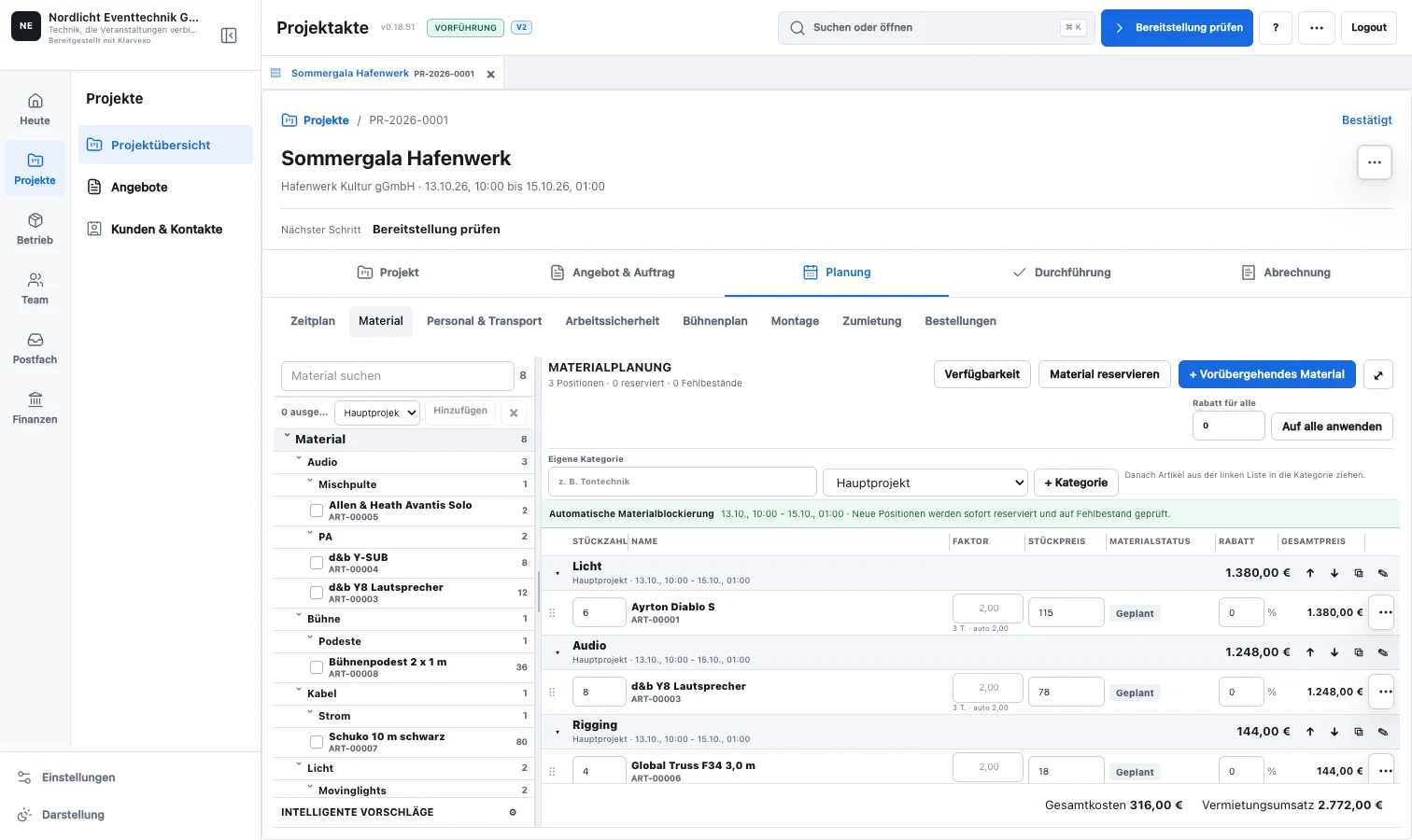
Material and procurement
Klarvexo checks the actual project period against inventory and parallel reservations. Only if material is really missing will a suitable procurement option appear.
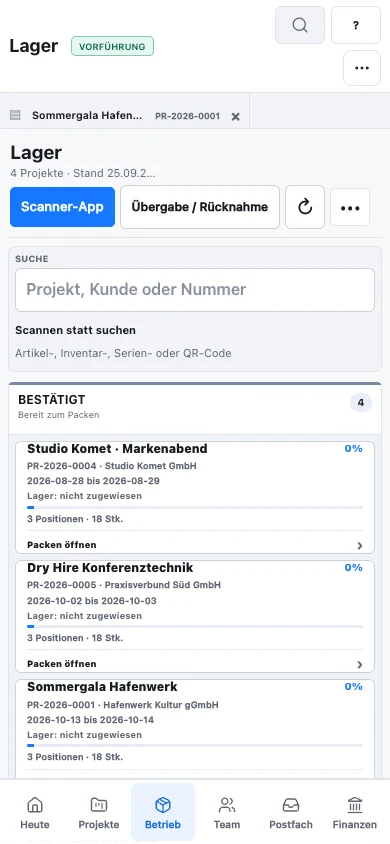
Warehouse operations on desktop and mobile
The scanner identifies an item, serial-numbered device or set and guides you through packing, checkout and return. The project status changes where the transaction actually takes place.
New in your everyday work
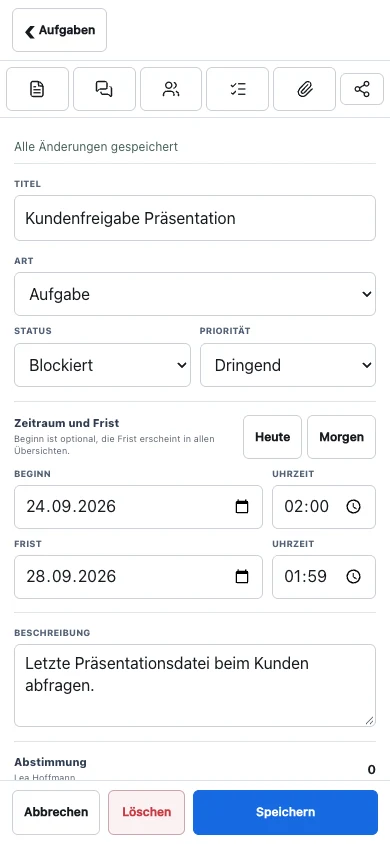
Tasks retain your drafts even when you switch to the project record. Colleagues' changes are reconciled; if values conflict, you choose which one to keep.
Technical planning in the project
Plans are created directly in the project record using drag-and-drop. Company profiles, rental equipment and technical data remain reusable, while the drawing, legend and output use the same symbols.
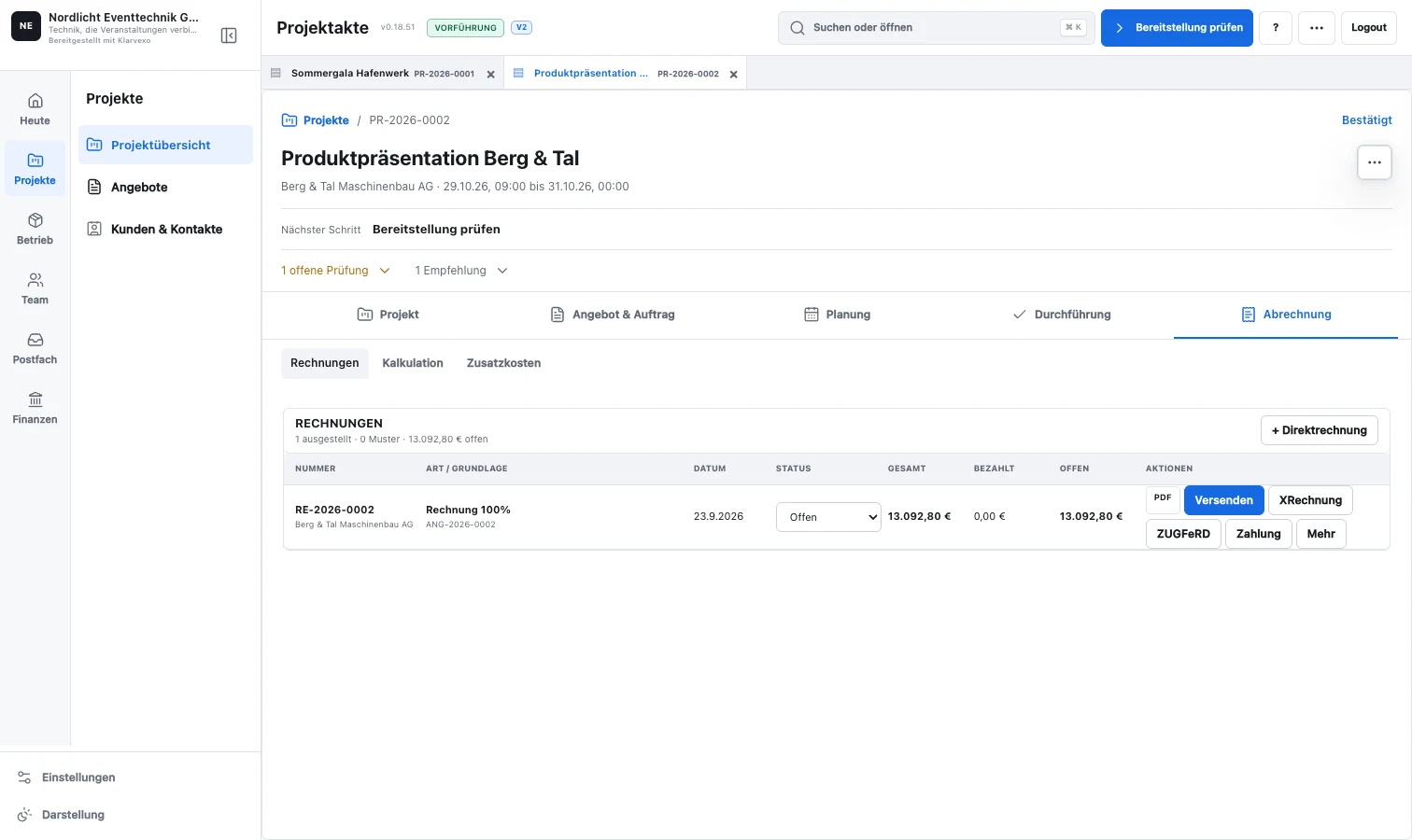
From quote to archive
Confirmed material, personnel and transport services flow into the calculation and invoice. Documents, OCR receipts, e-invoicing and accounting remain connected to the customer and project.
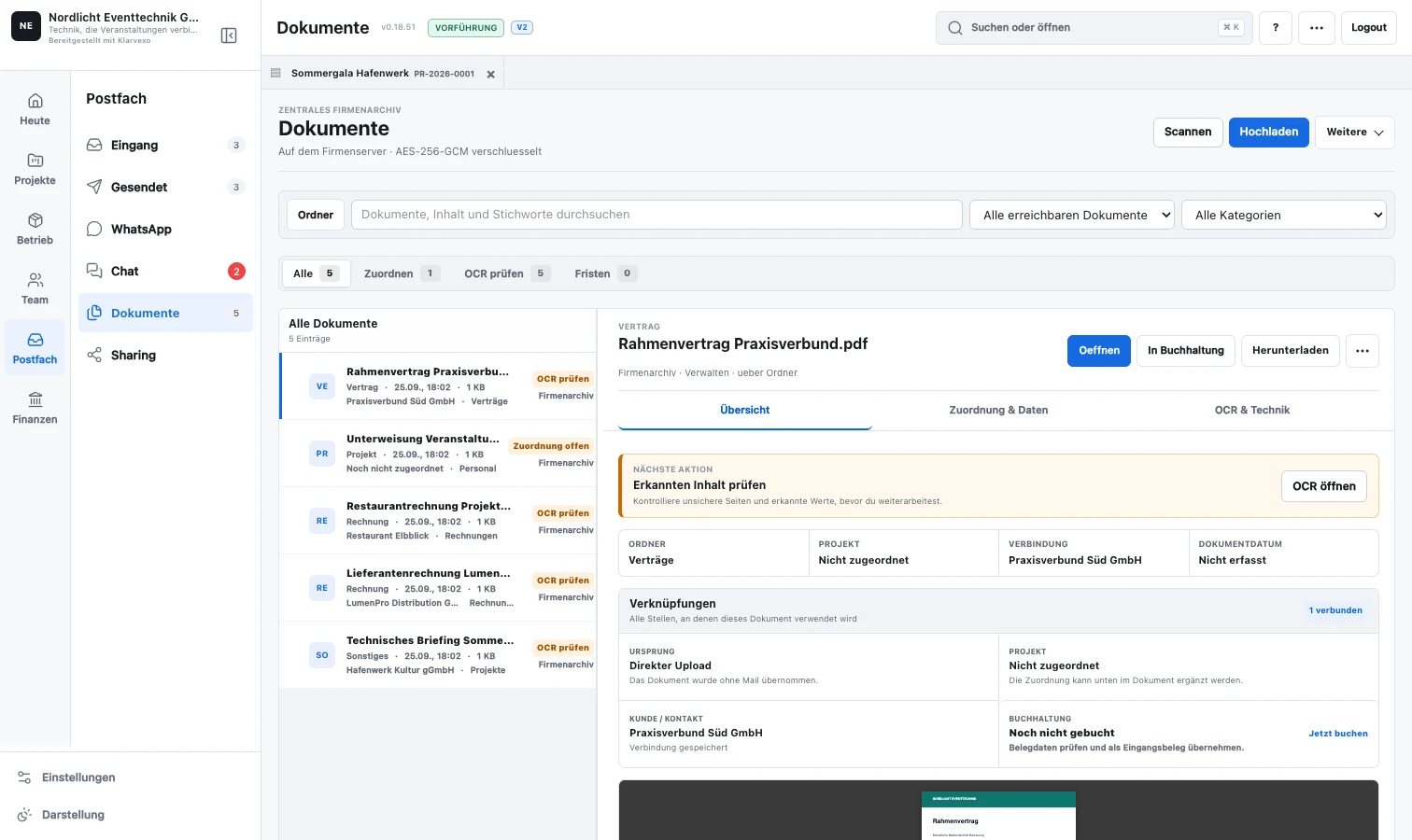
Communication without additional storage
The request doesn't stay in your inbox: check information, prepare a project, file attachments and record queries as tasks. Communication, material planning and quote draft remain in the same context.
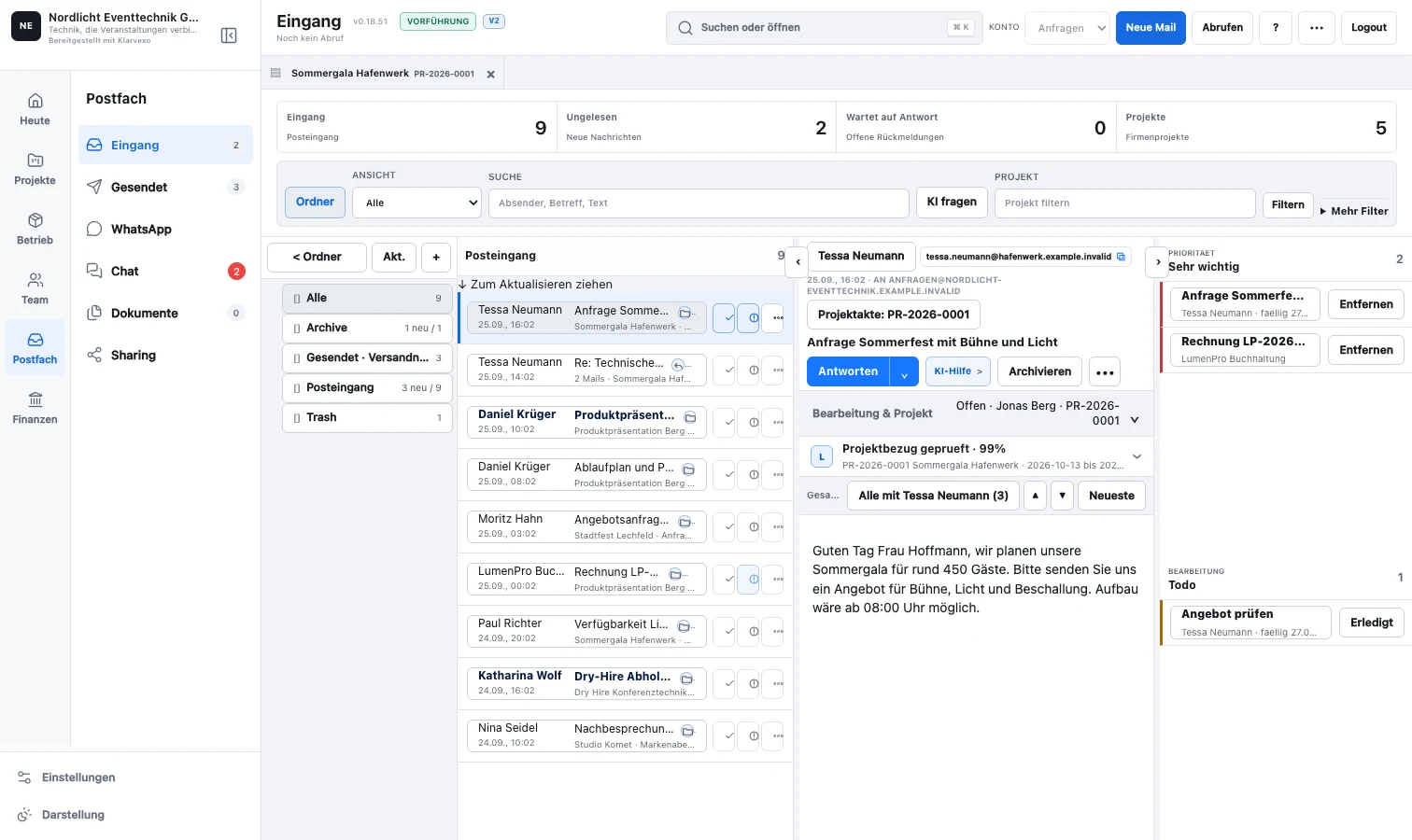
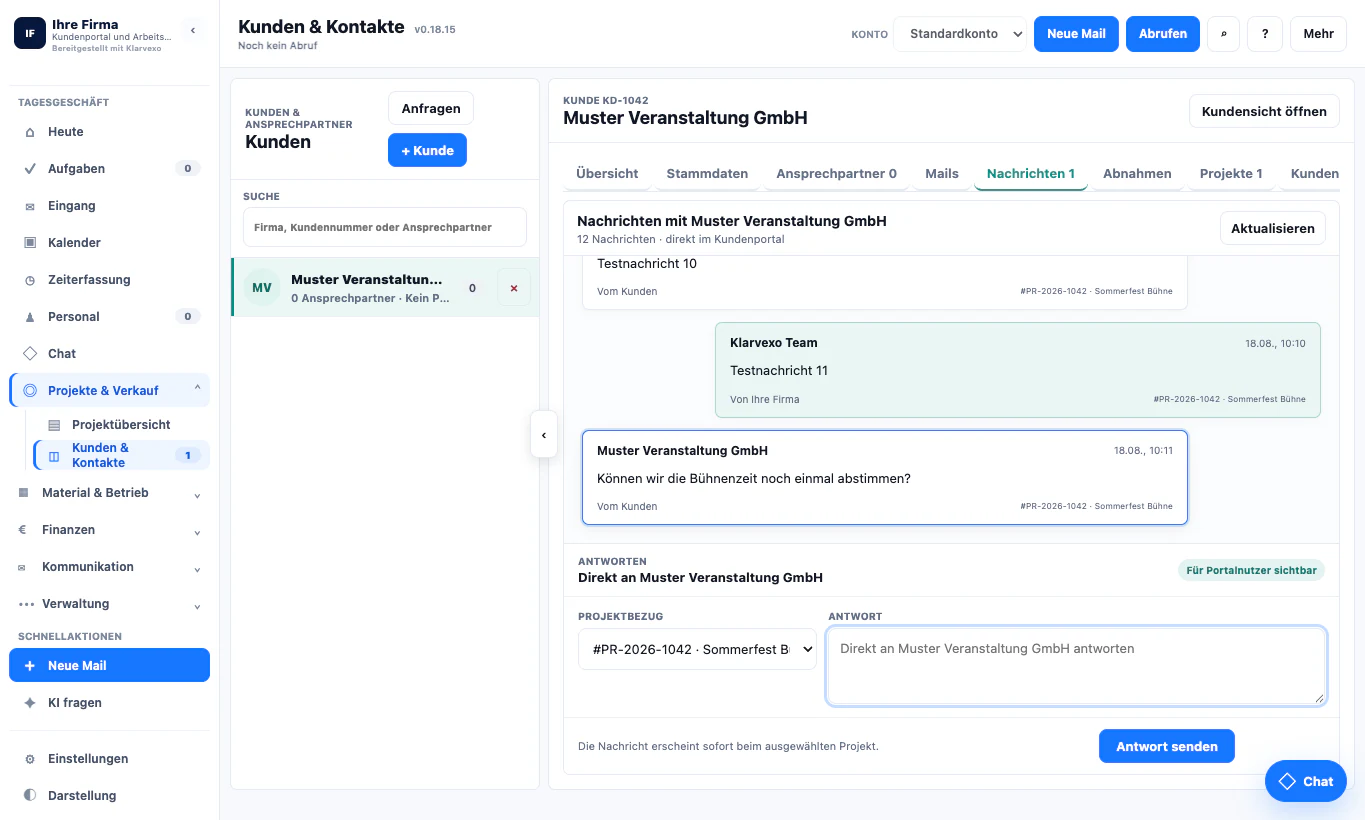
What Klarvexo already depicts
Klarvexo is not a loose collection of individual tools. Each area accesses the same customers, projects, time periods, articles and documents.
Shared inbox, project-related email processes, customer data, contact persons, files and customer portal.
V2 project records, sub-projects and joint tasks with multiple responsible persons, comments, draft protection and targeted conflict clarification.
Items, sets, serial-numbered equipment, availability, reservations, QR checkout, returns, shortages and stocktaking.
2D drawing, trusses, rows, grids, arcs, device profiles, GDTF, patch, focus, legend and PDF output.
Personnel requirements, invitations, availability, replacement suggestions, time recording, travel costs and wage preparation.
Vehicle requirements, drivers, transport routes, loading times, conflict checking, mileage-related costs and driver portal.
Calculation, quote versions, order confirmation, partial and final invoice, cancellation, credit and dunning.
Damage, workshop orders, maintenance, tests, orders, documents and traceable changes.
Work consistently in Klarvexo
Material and project data can be prepared and transferred in a controlled manner. The change begins where Klarvexo already completely supports the process.
For the entire company
Availabilities, conflicts, commitments, tasks and changes across all projects.
Packing lists, QR bookings, serial-numbered equipment, returns, damage and workshop.
Assignments, times, feedback, transport routes and relevant project documents mobile.
Calculation, receipts, invoices, incoming payments and open processes.
Clear tariffs
Community, Standard, Pro and Full KI can be tested for three months. The Community will then remain permanently financed by advertising; The paid tariffs are then paid by direct debit or invoice.
0,00 €permanently
20,00 €net per month
30,00 €net per month
50,00 €net per month
The test phase applies to Community, Standard, Pro and Full KI. The Community will then remain permanently financed by advertising.
Pay monthly or save 20% on the contract with annual payment.
Direct debit with confirmed SEPA mandate or invoice by bank transfer.
A voucher code unlocks the specified free period in the company account.
Start safely. Keep working safely.
Corporate space, roles, mobile workstations, status checking and recovery are intended as part of the operation, not an afterthought.
Every company works with its own users, customers, projects, documents and settings.
Teams only get access to the areas and data they need for their tasks.
Document versions, transactions, approvals and important status changes remain auditable.
Separate backup targets, status checks and defined restore points support operations.
Understanding the software
Klarvexo is browser-based rental and resource planning software for event technology, dry hire and event production. Customers, projects, equipment, staff and billing are connected in your own company workspace.
From the enquiry through planning and warehouse operations to invoicing.
enquiry and project · Resource planning · equipment checkout and returnsTry a job of your own and check the requirements before use.
plan and features · mobile devices and test versionsFrequently asked questions
When equipment, crew, dates and invoices belong to the same job, a shared project view helps. Klarvexo connects these work areas with tasks and responsibilities. Test a typical job to find out whether the workflow suits your business.
Test a complete job from the initial enquiry to equipment returns and invoicing. Check the features you need in your chosen plan, data migration and mobile devices. A general product description does not guarantee a bespoke integration or a complete transfer from another software system.
V2 is the standard interface for new and existing companies. Existing data is retained. New features are being developed exclusively for V2; V1 will not be further developed.
No. In the Full-KI tariff, Klarvexo supports preparation. Suggestions must be consciously adopted and professionally examined. Responsibilities, implementation and approval remain with the responsible person.
For event technology, dry hire, production companies and other project-oriented rental companies that need to combine projects with materials, personnel and billing.
Yes. All resources use the same project period. Shortfalls, open commitments and conflicts become visible together and lead to appropriate manual processing.
Yes. Klarvexo has mobile browser views and an Android scanner app for Zebra devices and comparable smartphones.
Yes. Community, Standard, Pro and Full KI can be tested in your own company area for three months. The Community will then remain permanently financed by advertising.
Try it straight away
Confirm email, set password and then start with customers, projects and articles.
Provider & original sources
Klarvexo is provided by Frey & Graf GmbH und Co. KG. The software is designed for event technology, production and rental businesses.
Am Wasserturm 14b · 85131 Pollenfeld / Preith · Germany
Original screenshots and German-language tutorials demonstrate the software using sample data. They are not customer references. Features and access depend on the selected plan and software version.
Tutorials & workflows Current plans & features